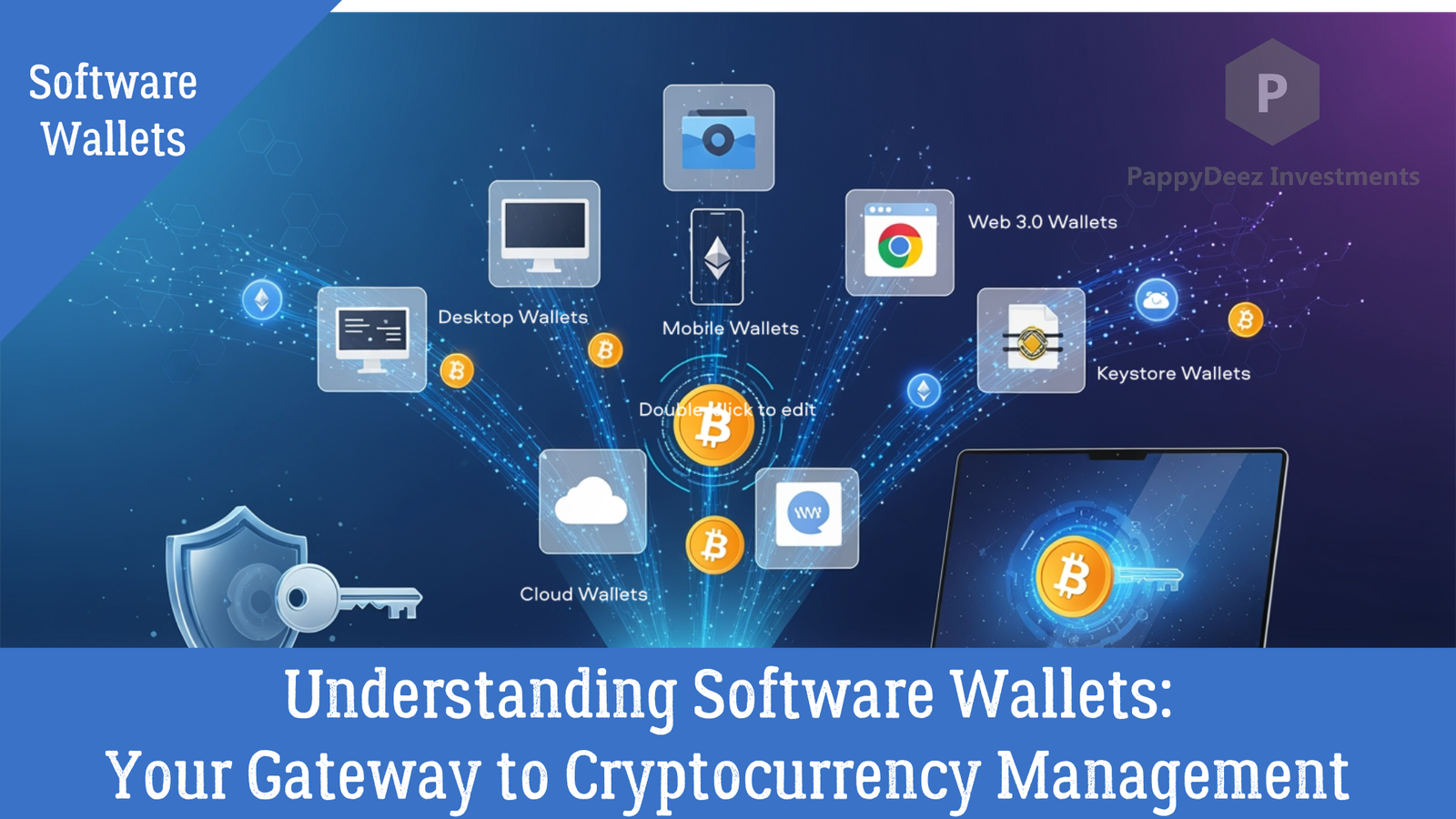
Understanding Software Wallets: Your Gateway to Cryptocurrency Management
Essential reading for anyone starting their cryptocurrency journey
When you first enter the world of cryptocurrency, one of the most important decisions you'll make is choosing the right wallet. Software wallets serve as your digital gateway to managing cryptocurrency, and understanding them is crucial for safely navigating this new financial landscape.
What Exactly Is a Software Wallet?
Think of a software wallet as the digital equivalent of your physical wallet—but instead of holding cash, it stores the keys that give you access to your cryptocurrency on the blockchain. These applications run on your devices and allow you to interact with blockchain networks, send and receive funds, and manage your digital assets.
The key difference from a physical wallet? Your cryptocurrency never actually leaves the blockchain. Your wallet simply holds the private keys that prove ownership and allow you to authorize transactions.
Software vs. Hardware: Understanding the Trade-offs
Before diving into different types of software wallets, it's important to understand how they compare to hardware wallets:
Software wallets are free, provide quick access, and run on devices you already own. They're connected to the internet when in use (making them "hot" wallets), which makes them convenient for frequent transactions but requires careful security practices. They're ideal for smaller amounts and everyday use.
Hardware wallets cost between $50-$200, require a physical device, and store your keys completely offline. While they add extra security steps for each transaction, they're the gold standard for large holdings and long-term storage.
Many experienced cryptocurrency users employ both—software wallets for daily transactions and hardware wallets as their secure vault for larger holdings. This balanced approach combines convenience with security.
The Five Types of Software Wallets
1. Desktop Wallets: Full Control at Your Fingertips
Desktop wallets are applications installed directly on your Windows, Mac, or Linux computer. They offer full control over your private keys without relying on third-party servers and often come packed with advanced features.
Popular options like Exodus provide user-friendly interfaces with support for 260+ cryptocurrencies, while Electrum offers a lightweight, Bitcoin-focused experience. Atomic Wallet rounds out the category with multi-currency support and built-in staking capabilities.
The advantage? Complete control and feature-rich functionality. The trade-off? These wallets are only accessible from the computer where they're installed, and they're vulnerable to viruses and malware. Regular backups are essential.
Best for: Users who primarily manage cryptocurrency from a single computer and want maximum control.
2. Mobile Wallets: Cryptocurrency in Your Pocket
Mobile wallets bring cryptocurrency management to your smartphone. Available for both iOS and Android, these apps offer convenient access anywhere and often include QR code scanning for easy payments.
Trust Wallet provides wide cryptocurrency support with integration to decentralized exchanges, while Coinomi supports an impressive 1,770+ assets with a built-in exchange. For Bitcoin enthusiasts, BlueWallet offers Lightning Network support for faster transactions.
The convenience comes with considerations—your cryptocurrency is only as secure as your phone. Lost or compromised devices can lead to lost funds, and smaller screens make transaction verification more challenging.
Best for: Users who need on-the-go access or want to make in-person cryptocurrency payments.
3. Web Browser Extension Wallets: Your DeFi Gateway
These wallets operate as browser extensions in Chrome, Firefox, or Brave, serving as the essential bridge between you and decentralized applications (dApps).
MetaMask dominates this category as the industry standard for Ethereum and compatible blockchains. Phantom specializes in the Solana ecosystem, while Keplr focuses on Cosmos-based networks.
These wallets excel at seamless interaction with DeFi platforms and NFT marketplaces. However, they depend heavily on browser security and are vulnerable to phishing websites and malicious extensions.
Best for: Users engaging with DeFi, NFTs, or decentralized applications.
4. Online/Cloud Wallets: Convenience with Compromise
Online wallets store your keys on remote servers, accessible through any web browser from any device. Companies like Coinbase (with their non-custodial wallet option), Blockchain.com, and Guarda offer this service.
The appeal is clear: access from anywhere, professional customer support, and sometimes even insurance on deposits. The catch? You don't control the private keys yourself, making you dependent on the company's security measures. You must trust a third party with your assets.
Best for: Beginners seeking convenience and customer support, willing to trade some control for ease of use.
5. Keystore Wallets: Encrypted File Security
Keystore wallets use an encrypted file to store your private keys, protected by a password. You create a password during setup, your keys get encrypted, and the resulting file can be stored offline.
Services like MyEtherWallet pioneered this approach for Ethereum. The additional encryption layer provides extra security, but losing either the file or the password means losing access forever. These wallets are more technical and less user-friendly than modern alternatives.
Best for: Tech-savvy users comfortable with file management who want an additional encryption layer.
The Custodial Question: Who Controls Your Keys?
Perhaps the most critical distinction in software wallets isn't the type—it's whether they're custodial or non-custodial.
Custodial wallets (like exchanges and some mobile apps) hold your private keys for you. They're like traditional banks—convenient, offering customer support and easy account recovery, but you're trusting someone else with your assets. The company can freeze your account, and you're vulnerable if they get hacked.
Non-custodial wallets (like MetaMask, Exodus, and Trust Wallet) give you complete control over your private keys. You are your own bank. This means true ownership and enhanced privacy, but also complete responsibility. Lose your seed phrase? Your funds are gone forever, with no customer support to call.
Choosing Your Path
For beginners, starting with a custodial wallet can ease the learning curve without the stress of complete self-custody. As you gain confidence and understanding, transitioning to non-custodial wallets gives you the freedom and control that cryptocurrency was designed to provide.
Many experienced users employ a hybrid approach—keeping small amounts in custodial wallets for convenience while storing larger holdings in non-custodial or hardware wallets for security.
Understanding these different types of software wallets and their trade-offs is your first step toward confidently managing your cryptocurrency. In the next installment, we'll dive into actually setting up and using these wallets safely.
Continue your cryptocurrency education with Part 2: Setting Up Your Software Wallet: A Step-by-Step Guide to Getting Started